Product creative
Put your product in the foreground.
Keep the creator and product moving together, then place that cutout inside a campaign design that you control.
Review current processing, download and publishing allowances on Pricing before you buy.
See the source and transparent result
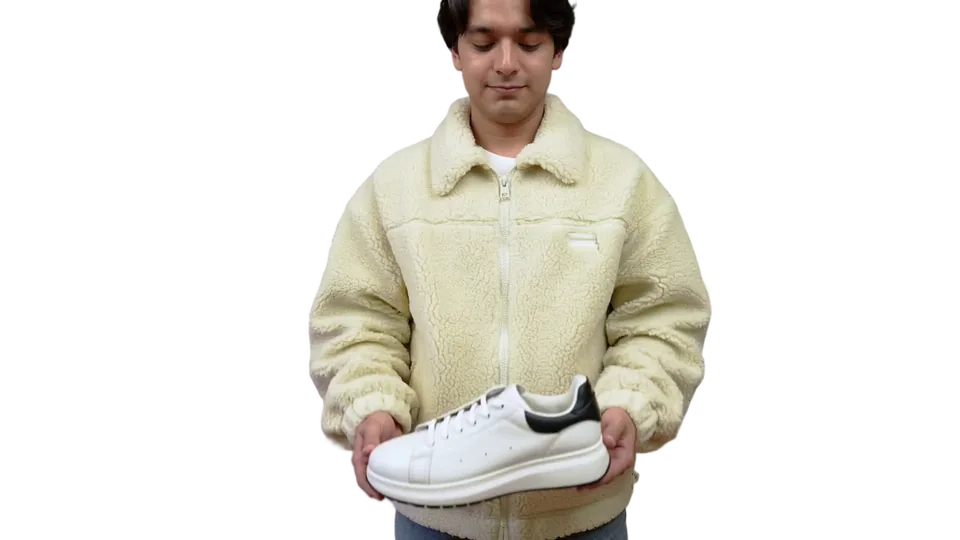
Generated moving demonstration footage. The interactive page composes the prepared visual over a sample webpage; it does not predict the result or conversion rate of your own video.
Choose a demonstration that survives the cutout
A creator holding or pointing at a product gives the viewer a clear subject. Keep fingers, packaging and the whole item in frame. Avoid a source where the product blends into clothing or where motion blur obscures its outline. Glass, reflections, loose hair and semi-transparent packaging are useful things to test in the free segment.
Do not use background removal to imply a different product finish, size, function or performance. Keep required labels and safety information readable in the surrounding design. The sample is generated demonstration footage, not a customer testimonial or a verified product listing.
Preview the hands and product together
Select a three-second moment with a hand crossing the product edge. Compare source and cutout at the same moment, then view the result over the intended campaign color. Inspect the spaces between fingers, thin straps, handles and reflective edges. If detail disappears, improve the source before processing the full clip.
Watch the full loop after processing. A clean still frame can miss an unstable edge during movement. Keep a static product image and readable purchase information available so the page remains useful if animation does not start.
Design the campaign around the result
Use a transparent file in an editing workflow when you need to combine the cutout with captions, sound or other scenes. ProRes export is available only for eligible short results; check the displayed format and duration before relying on it for a handoff. AlphaPublish does not turn a downloaded file into an ad-platform-approved creative.
For a website hero, keep the moving subject beside the offer rather than over the price or checkout action. Test the narrower crop before publishing. A poster that shows the actual item is usually more helpful than an empty background while a visitor waits.
Publish without changing every campaign page
A hosted asset keeps one embed ID while an approved replacement becomes its current version. Review the replacement before switching it live, and keep the existing campaign visible while preparation is pending. Replacing the creative does not start a new Hosting term.
Test the published page in its actual storefront or site builder. Theme styles, container overflow and other scripts can affect placement. These examples demonstrate a visual workflow; conversion improvement requires your own measured experiment with sufficient traffic.
Frequently asked questions
Does this edit product labels or add a different background into the file?
It creates a transparent cutout. You control the destination composition and should keep the product representation accurate.
Can I use the result in a paid ad?
Check your footage rights and the destination platform’s current format and advertising requirements. A transparent export is not a platform approval.
Will the cutout increase conversion?
No result is promised. Test the final campaign against a clear baseline and measure actual behavior.
Sources and review notes
AlphaPublish product limits and workflow statements follow the available product interface; check the displayed limits before uploading or buying. A guide is not evidence that your file has played on every device. Browser, builder, and performance guidance links to primary documentation.