Create a reusable visual
Make a transparent video. Choose where it goes.
Keep the person or product in motion while your own background shows through. Start with a short preview, then choose the delivery your project needs.
Review current processing, download and publishing allowances on Pricing before you buy.
See the source and transparent result
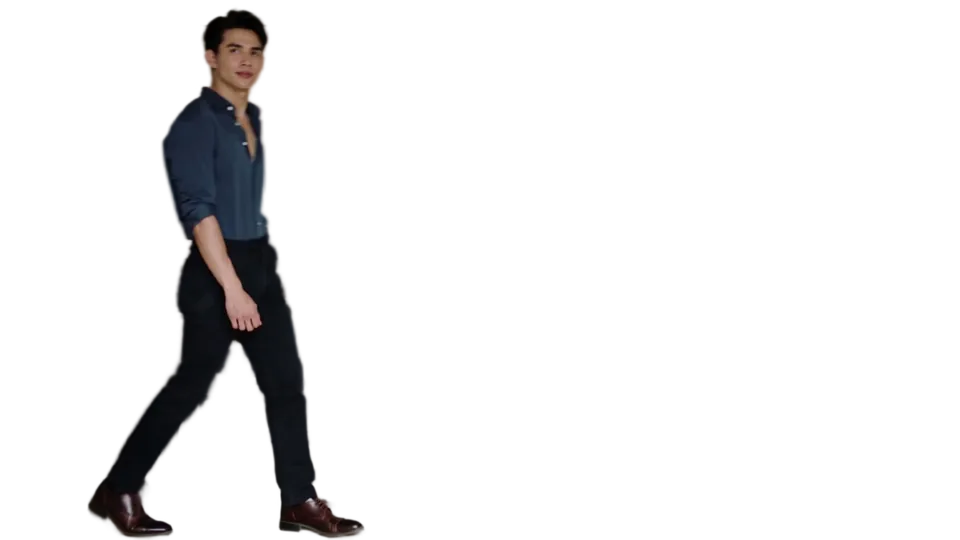
Generated moving demonstration footage. The interactive page composes the prepared visual over a sample webpage; it does not predict the result or conversion rate of your own video.
Decide what you need to keep
Use transparent video when the subject should remain visible while the scene around it disappears. A presenter beside a headline, a product demonstration over a campaign background, or an animated mascot can work well. If the original background carries essential context, a normal rectangular video may tell the story more clearly.
Frame the whole subject with room for hands, hair and the product. Record a steady short take with even light and limited blur. A preview cannot recover a limb that left the frame or detail hidden behind another object. Use only footage you have permission to process.
Check the difficult moment first
Choose the three-second segment that contains your hardest movement. Watch hair, transparent packaging, fast hands and shadows. Compare the original and result over light and dark surfaces; a checkerboard alone can hide the way an edge looks on the final design. A successful model response is not a guarantee that every edge looks right.
The sample below uses generated moving footage and a prepared transparent result. It demonstrates composition rather than a promised quality score for your upload. Test your own source before committing a campaign to it.
Choose a file or website delivery
A transparent WebM is useful when your project already handles the destination player and file delivery. Keep an eligible ProRes 4444 MOV for an editing workflow; the eight-second export limit is separate from the input limit shown in the uploader. Retain your original file and downloaded result locally. Temporary results are not an archive.
Website delivery adds a stable embed, versioned media and a poster fallback. Use it when you want to update the moving visual without replacing code in every page. A raw file and an active hosted asset have different expiry and billing rules; review the current quote and terms before paying.
Review the whole loop at its real size
Check the transition from the last frame back to the first. Crop and scale against the actual headline and mobile layout, rather than judging a large preview in isolation. Keep important copy readable without motion, and make sure the image does not block a button or cover navigation.
Before handing over a live page, test playback and the still fallback on the browsers your audience uses. Reduced-motion preferences, autoplay policy, decoding and network conditions can change what a visitor sees. File validation and a desktop preview do not replace that final-page check.
Frequently asked questions
Can an ordinary MP4 become transparent?
Background removal creates a separate transparent result from supported ordinary footage. An MP4 extension itself does not prove that a file contains an alpha channel.
Can I use an existing transparent file?
Yes. Open the checker for supported VP9-alpha WebM or ProRes 4444 MOV, inspect the report and review the prepared result.
Does a cutout preview prove every browser will play it?
No. A preview helps you judge the subject and edges. Browser delivery and the final website layout need their own checks.
Sources and review notes
AlphaPublish product limits and workflow statements follow the available product interface; check the displayed limits before uploading or buying. A guide is not evidence that your file has played on every device. Browser, builder, and performance guidance links to primary documentation.