Transparent video field notes
Unscreen Alternatives for Transparent Website Video: Choose the Right Handoff
Choose an Unscreen alternative by your deliverable: a finished design, transparent export or hosted website embed. Review quality, ownership and fallback.
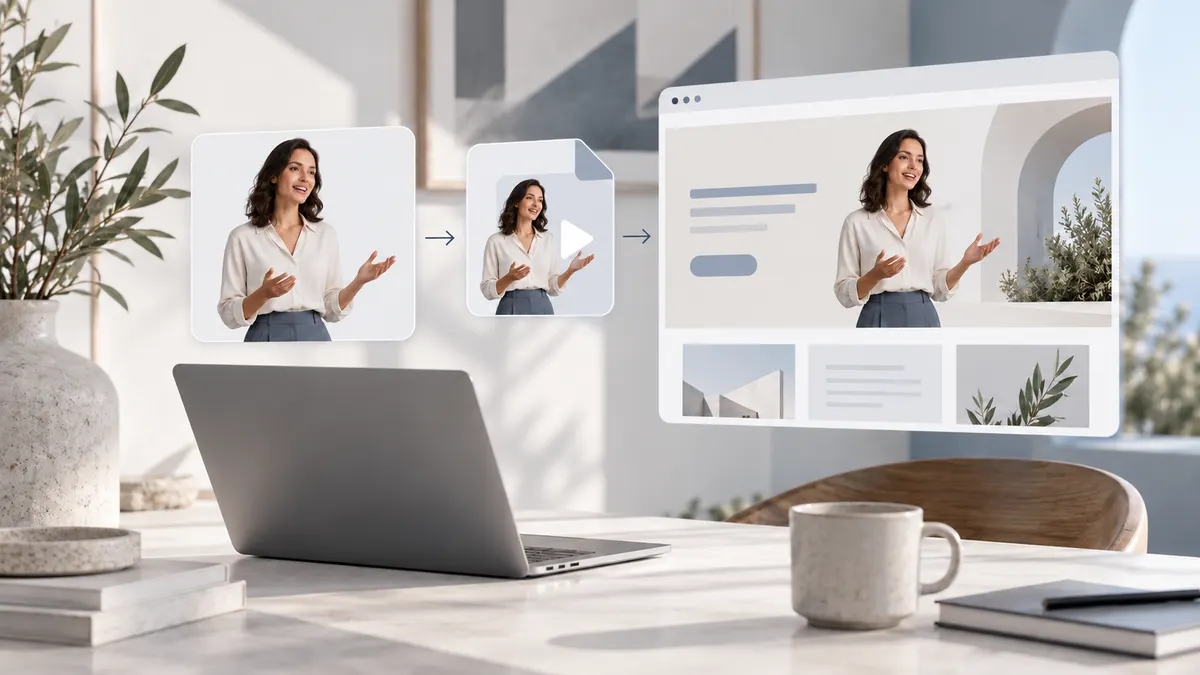
Choose an Unscreen alternative by the result you need, not just whether a tool removes a background. A design editor may fit a finished composition; an export-focused service may fit a transparent file you will integrate yourself; a hosted player workflow may fit a website team that needs an embed and ongoing delivery. For a live website, check the moving edges, actual published page, replacement process and fallback before buying. AlphaPublish is one option for short transparent-video website delivery, not an unlimited free service or a guarantee of identical playback everywhere. Keep your original source and test a representative sample first.
What this comparison does—and does not—establish
This article is written by the AlphaPublish Editorial Team. AlphaPublish is a commercial option discussed below, so this is an owned-site decision guide, not an independent ranking. Product descriptions are based on official public materials and current AlphaPublish implementation checked on October 7, 2026. We did not run a common benchmark across vendors, measure edge accuracy or certify current browser and device combinations.
The scope is replacing an Unscreen-style background-removal workflow when the eventual destination is a website. It is not a list of every AI video editor, a promise of free full-length processing or instructions for recovering an inaccessible account. On the review date, the old Unscreen entry URL redirected to Canva's video-background-remover page. That observation is not evidence about the recovery of old projects, transferred credits or a specific historical shutdown date.
Decide what you need to receive at the end
Before comparing services, finish this sentence: “The person receiving my work needs…” A social editor may need one finished clip with a new background. A developer may need a transparent media file plus a clearly documented implementation responsibility. A marketing team may need a stable embed that continues working when the subject video is replaced.
Those are different deliverables. A convincing cutout preview does not show that the download preserves transparency. A transparent download does not show that the website can display it correctly. A player that shows the subject correctly after clicking play does not establish that automatic playback works under every visitor's browser policy.
Separate these questions before spending time on a migration. If you already own a transparent source and only need a format explanation, use our transparent WebM guide. If ordinary MP4 export is the uncertainty, the MP4 transparency article owns that diagnosis. This guide instead owns the replacement decision and the handoff responsibilities between tools and people.
Three routes to compare fairly
| Route | Example and documented emphasis | Consider it when | Verify before choosing |
|---|---|---|---|
| Create a finished composition | Canva describes removing a video's background inside its editor and layering another background | The deliverable is a completed design or composed video | Whether your intended export retains the properties your next application needs |
| Download a transparent asset | ExportAlpha advertises background removal and WebM or ProRes MOV exports | You want a file for an editing or developer-owned delivery workflow | Current eligibility, the actual exported alpha and the receiving environment |
| Publish a website asset | AlphaPublish combines a reviewed result with downloadable media or hosted player delivery | A website team wants a stable embed, hosted asset and poster fallback | Source suitability, current paid entitlement, placement and actual browser behavior |
The comparison is intentionally narrow. It does not state that one vendor is faster, cleaner or cheaper. A public page emphasizing downloads does not prove that a vendor lacks every other feature; unverified capabilities stay unverified rather than becoming a disadvantage in a scorecard.
When a design editor is the right replacement
If you want to place a presenter onto a new visual background and deliver that completed composition, a design-editor workflow may be the natural choice. Canva's official video-background-remover page describes removing the existing backdrop and adding a replacement inside the design. It identifies the video remover as a Pro feature. Check your current account access before relying on it.
Do not turn that description into an unsupported claim about transparent video export. Background removal inside an editor and the properties of a downloaded file are separate facts. Ask to inspect the actual intended download in its receiving application. If the output is a finished composition, keeping a transparent moving subject may not even be part of the requirement.
This route can be more appropriate than hosted transparent delivery when the destination is an ordinary video post rather than a webpage. There is no reason to introduce a website player contract for a deliverable that will be flattened into a final scene anyway.
When an export-focused service fits
An export-focused workflow fits teams that already own the next stage: editing, implementation or hosting. The ExportAlpha public page lists transparent WebM and ProRes MOV downloads, with different current limits for the outputs. Confirm those limits at the time of use; do not treat an old comparison's trial allowance or price as a current promise.
The important handoff question is not simply “Can I download it?” It is “Who makes this file work at its destination?” A developer may willingly own testing, media sizing, caching and fallback. An editor may only need an alpha-capable master for a timeline. Either can be a valid reason to prefer a file-oriented path.
Avoid assuming that a large editing export is the same deliverable as a web asset. Keep the accepted source and document which file was tested where. If the receiving party reports a black rectangle, check the actual file and display path rather than rerunning background removal immediately. Our existing format guides cover that investigation in detail.
When AlphaPublish fits—and what remains your responsibility
AlphaPublish is positioned around short transparent video delivered to a website: background removal, result review, web packaging, hosting and a stable embed. Current paid workflows also support downloading the approved transparent result. It is therefore a candidate when the operational handoff matters as much as the cutout itself, not automatically the best replacement for every editor or long clip.
Use the hosted transparent-video overview to understand that delivery choice. Website placement still needs an owner. Someone must decide the element's size, layering, spacing and relationship to nearby text. A stable embed does not decide whether the moving subject obscures a button or makes the page harder to read.
Free preview is limited and is not a production hosting promise. Check current pricing and eligibility for Single Publish, Creator Pack and Creator monthly instead of assuming that a trial includes ongoing delivery. There is no unlimited free processing or permanent hosting claim in this guide. This is also not a general converter for arbitrary footage or an API/batch capability announcement.
Review the compatibility information alongside a real published-page test. Poster fallback is part of a resilient presentation; it is not proof that every device played the moving clip with identical transparency. Record which outcome occurred rather than labeling both outcomes “works everywhere.”
A migration checklist that protects your source and delivery
1. Preserve the material you already control
Keep the original recording, any usable transparent export, project notes and the current page reference before changing tools. Do not delete an accepted asset just because another vendor's demonstration looks impressive. If the old account or file is unavailable, state that limitation rather than promising that a new service can retrieve it.
Check that you have permission to process and publish the people, music and other material in the clip. A background-removal tool does not create those rights. For a client project, make ownership and access explicit: whose account stores the work, who can download it and who will receive the handoff when the project ends?
2. Use a representative short sample
Choose a segment containing the difficult material: moving hair, hands passing near the body, a soft edge, a changing pose or motion blur. A perfectly still subject against a simple wall may conceal failures that appear later. The sample should represent the real source, not a specially selected easy frame.
View the moving result over clearly different surfaces and inspect the transition between frames. Note edge flicker, missing foreground pieces and retained backdrop. This is a proposed acceptance procedure, not evidence that AlphaPublish or any competitor passed your clip. If the sample is unacceptable, improve the source or investigate a more controlled editing workflow before committing the whole project.
3. Define the handoff contract before payment
Write down the intended output, permitted duration, needed resolution, destination, responsible owner and retention requirement. Check the current vendor's public eligibility and the relevant account interface. Do not equate trial access with a complete paid deliverable or compare a processing-credit price with a hosted-asset price as if they bought the same thing.
For self-managed files, specify who owns implementation and future replacements. For a hosted route, specify who maintains the account and how the website team requests a replacement. If a capability is not confirmed in public documentation, ask about it or treat it as unknown; do not silently assume it is included.
4. Test the actual published page
Place the accepted result into the intended website environment and test the public preview you control, not just the builder canvas. Check surrounding text, responsive sizing, scrolling and what happens before the first moving frame. Test a manual play action separately from the automatic-start behavior.
The MDN autoplay guide explains browser restrictions and handling blocked playback. Muted inline playback can be relevant, but a player cannot force every browser policy to permit automatic start. Provide a useful nonmoving presentation when playback is unavailable rather than making an essential instruction depend on motion.
Record the page URL, asset version, date, browser and operating-system version, and whether the device is physical or emulated. Desktop browser emulation is not a real iPhone test. File transparency, page composition and autoplay are separate checkpoints; one successful screenshot should not certify all three.
5. Verify replacement and handover
Before final approval, rehearse the part that will happen later: a new product clip, a changed spokesperson or a revised animation. Confirm the documented replacement process and which parts of the website need updating. Do not promise that another vendor's existing embed can be reused unchanged inside a new service.
Keep an accepted poster or static presentation and a clear rollback reference. The goal is not merely to launch once but to leave the next person enough information to maintain the page. A folder containing an unexplained file is a different handoff from a documented embed with an account owner and review record.
Choosing by constraint without inventing a ranking
If the team already has a capable editor and only needs a finished composition, start there. If the developer wants direct asset control and accepts implementation work, compare export-oriented options. If a marketing team needs ongoing website delivery, compare the full hosted workflow, including eligibility, replacement and fallback.
When budget is the primary constraint, compare the same end-to-end deliverable. Include only verified expenses and requirements. Do not assume that a free trial covers the whole clip, commercial rights, hosting or future replacements. Equally, do not imply that a paid tool necessarily creates a better mask. Quality on the source must be judged from a representative result.
Frequently asked questions
Is there a free Unscreen alternative for a complete website video?
Free or trial access may help evaluate a sample, but the complete deliverable can require processing, an export and a delivery solution. Check each current allowance separately. AlphaPublish's limited preview is not an unlimited full-clip or permanent-hosting offer.
Does background removal guarantee a transparent downloadable video?
No. An editor may remove a backdrop inside a design while the chosen export becomes a finished composition. Verify the actual file and its receiving application. Do not infer the properties of a download solely from a transparent-looking preview.
Can I migrate an old Unscreen embed unchanged?
This guide does not establish an account or embed-transfer mechanism. Preserve files you control, choose the new delivery path and validate the replacement on the page. A stable embed within a new service is not evidence that an unrelated old URL is portable.
Will an alternative work on every browser and always autoplay?
No universal guarantee is made here. The file, player, page and browser policy each affect the outcome. Consult current compatibility documentation and test the intended environment. A suitable poster fallback is a distinct result from successful transparent motion playback.
Next step and sources review
Write the required handoff in one sentence, choose the route that owns it and test a representative sample before committing to a migration. If short transparent website delivery is your task, review how AlphaPublish works and then evaluate the current preview. If you only need a composed social clip or a long editing project, another workflow may be more appropriate.
Official pages were checked on October 7, 2026. Vendor access, limits and browser behavior can change. The decision and handoff checklist is our editorial method; no competitor speed, cutout-quality or cross-device performance result is asserted. Recheck current public documentation and record actual acceptance evidence before production delivery.